Initiate a Same-Day External Transfer
-
Step 1
Select Transfer, then Transfer Between Accounts.

-
Step 2
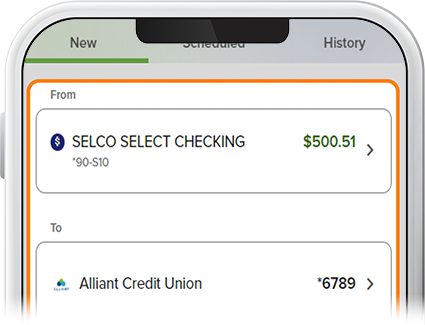
Select the funding source, the external account to which you’ll transfer, and the transfer amount. If you haven’t added an external account yet, see “Add External Account for Transfers” to learn how.
-
Step 3
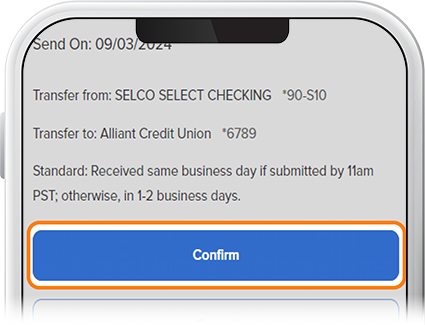
Choose Standard, then Review. Note: Same-day transfers must be submitted by 11:00am PST on a business day in order to be received that day. Otherwise, it will be received within 1-2 business days.

-
Step 4
Tap Confirm to submit your transfer.