Phishing alert: We’ve received reports of SELCO impersonators calling members about unauthorized transactions. As a reminder, SELCO will never contact you requesting sensitive information or to initiate wire, cash, or Zelle transactions. If you receive one of these messages, please hang up immediately.

Download Transaction History

  1. Step 1

    From the dashboard, click the account you want to review. 

  2. Step 2

    From the More drop-down in the upper right, select Export. 
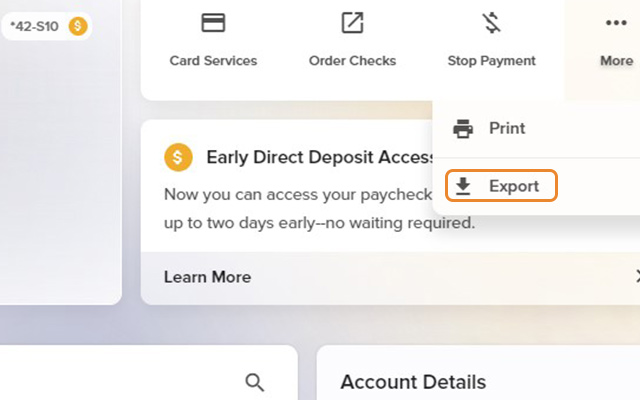
    Download Transaction History - Step 2
  3. Step 3

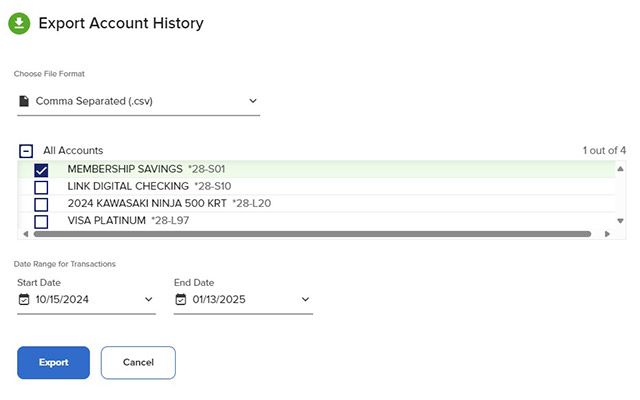
    Choose your desired file format, the account(s) for which you'd like transaction history, and a date range,  then click Export. 
  4. Step 4

    You can also print your history and balances from the More menu. 
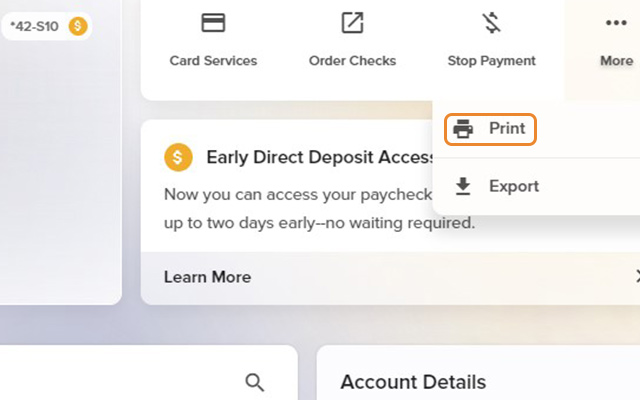
    Download Transaction History - Step 4